


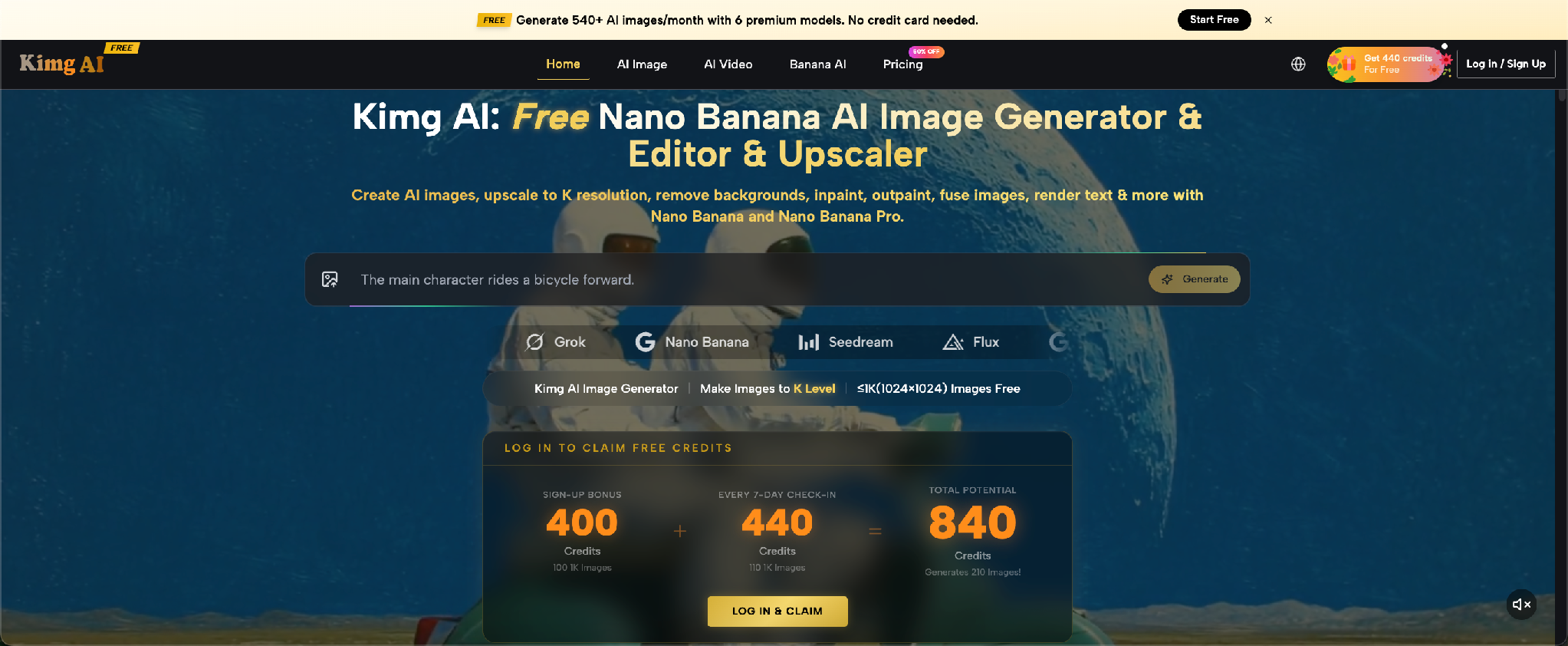
Developers often approach AI images the same way they approach unfamiliar code: try an input, inspect the output, and change several things at once. That method produces activity, but it makes learning difficult. When an image improves, you cannot identify which change helped. When it fails, the prompt becomes a long collection of guesses. A more reliable approach treats image generation as a small, testable process. Nano Banana on Kimg AI provides a browser-based way to generate from text or transform an uploaded image, which makes it suitable for controlled experiments. You do not need to turn visual work into software engineering. You only need stable inputs, clear variables, and a simple review loop.
Define a Visual Specification Before Prompting
A prompt works better when it is based on a specification rather than a mood. Write down the output type, subject, environment, composition, and constraints before opening the tool. This takes less than two minutes and prevents contradictory instructions.
Suppose you need an illustration for a developer article about API monitoring. Your specification might require one engineer, a dashboard on a laptop, a quiet night office, a wide layout, and empty space on the left for a title. It might also forbid visible brand logos and unreadable interface text. This list becomes your acceptance criteria. After generation, you can check each item instead of deciding whether the image merely “looks good.” A visual specification also helps team members review the same result with the same expectations.
Treat the Prompt as Structured Input
Prompts are plain language, but they still benefit from structure. A useful prompt separates stable requirements from variables. The stable section describes what every version must retain. The variable section contains the one feature you plan to test.
1. Lock the Subject and Composition
Begin with the parts that define the image. Name the subject, camera distance, orientation, and where important elements should appear. For example: “A software engineer seated at a desk, waist-up view, laptop centered, wide horizontal composition, clear space on the left.” These details form the visual equivalent of a function contract. They do not guarantee perfect output, but they reduce avoidable ambiguity. When using a source image, also identify which visible details must remain, such as facial features, clothing, product shape, or room layout.
2. Change One Variable Per Run
Select one element to test, such as lighting, illustration style, background, or camera angle. Keep the rest of the prompt unchanged. With Nano Banana AI, Kimg AI publicly describes a workflow in which you provide a prompt or upload an image, describe the desired transformation, and select a model. That makes one-variable testing practical. Generate a baseline first. Then change “bright office lighting” to “soft monitor light at night,” while leaving subject and composition intact. The comparison will show what that instruction actually changed.

3. Record the Winning Version
Save the final prompt together with the selected output and a short note explaining why it worked. A simple text file is enough. Record the intended placement, source image used, stable instructions, tested variable, and any visible problem. For example: “Version B selected because the left side remained clear and the dashboard was readable at thumbnail size.” This turns a successful result into reusable knowledge. Without a record, teams often repeat the same exploration a week later and produce a slightly different visual style.
Use References as Inputs, Not Inspiration Boards
A reference image should communicate something precise. It may define a person’s identity, a product’s shape, a room layout, or an illustration style. Kimg AI says its Nano Banana model supports up to four reference images. The practical question is not how many you can upload, but how many you need.
For a consistent tutorial mascot, one clean character image may establish identity, while a second reference may show the preferred clothing. The prompt can then describe the new action and environment. Avoid adding four images that represent unrelated styles. The model has to reconcile them, and your review becomes harder because no single visual rule is clear. Label references in your notes as identity, object, style, or composition. If an image does not fit one of those jobs, leave it out.
Debug Failures From Largest to Smallest
When an output is wrong, review it in layers. Start with the subject and overall composition. Then inspect relationships between objects. Only after those pass should you examine texture, lighting, hands, text, or small background details.
Consider an image showing a developer presenting a dashboard. If the dashboard is behind the person instead of beside them, fixing tiny interface icons is pointless. Revise the spatial instruction first: “Place the monitor to the presenter’s right, fully visible, with no overlap.” If the layout is correct but the screen contains distracting text, simplify the screen request in the next run. This order resembles debugging a broken feature. Resolve structural errors before cosmetic ones, and avoid introducing several new requirements during a repair.
Test Images at Their Real Display Size
A generated image may look excellent at full resolution and fail in its actual placement. Article thumbnails, social cards, documentation headers, and app onboarding panels all compress visual information differently. Add a display-size check to your workflow.
Export or preview the image at the dimensions used by the target page. Check whether the subject remains recognizable, whether important details disappear, and whether text will cover the focal point. For a documentation banner, you might discover that the laptop screen becomes too small to matter. The better solution may be a closer crop, not a more detailed screen. Also test one mobile-sized view. A wide image that works on desktop may lose its main subject when the page crops both sides. Mark a safe central area for essential content, and keep decorative elements near the edges. This check prevents teams from approving images based only on the generation preview and then discovering layout problems during implementation.
Separate Exploration From Production
Exploration is the stage where you test styles, settings, and compositions. Production begins after you have chosen a direction. Mixing the two stages creates inconsistent results because every final image becomes another experiment.
During exploration, generate a small comparison set and accept visible imperfections. Focus on the big decision: flat illustration or realistic scene, close portrait or wide workspace, bright or dark lighting. Once the direction is selected, freeze those choices in the stable prompt. Production runs should change only the content required for each page. For example, keep the same mascot style and framing while changing the programming language symbol or task shown. This separation makes a group of images feel intentional instead of assembled from unrelated experiments.
Conclusion
Better AI images come from a clearer process, not from endlessly longer prompts. Define the visual specification, keep stable instructions separate from test variables, give every reference image a specific job, and debug structural problems before details. Save successful prompts with their outputs, then test each image at the size where users will see it. These habits create a small feedback system that developers and content teams can repeat without special design terminology. Choose one upcoming article or interface screen, write its acceptance criteria, and run a controlled baseline. The result will give you something more valuable than one good image: a method you can use again.
Soutenez notre effort ❤️
Si vous avez apprécié cet article, pensez à laisser un pourboire pour nous aider à continuer à publier du contenu de qualité.
